Your posts aren't getting reach. Here's why.
More People Read Your Post When the Opening Hits Right.
Viral Post Optimizer
A preview app that shows you exactly where the "See More" cutoff lands on Facebook, Instagram, LinkedIn, and Twitter, before you publish.
Sound familiar?
You Wrote a Great Post. Then You Checked Your Phone.
You spend time writing a post. The idea is solid. You hit publish. Then you pull out your phone to see how it looks.
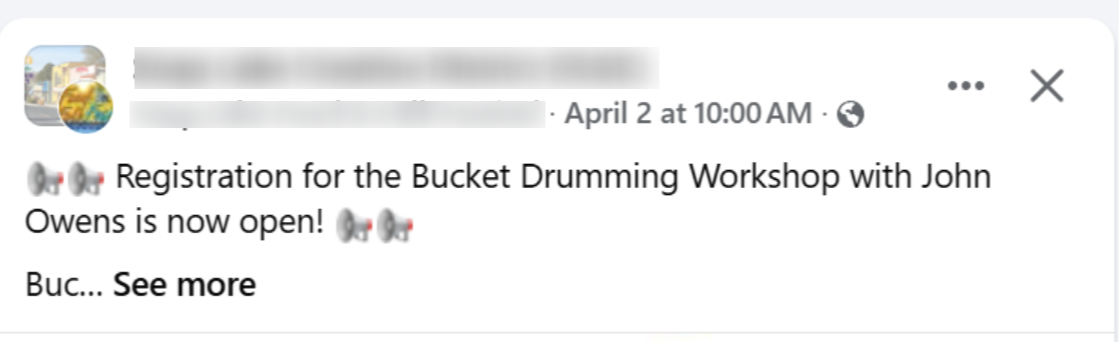
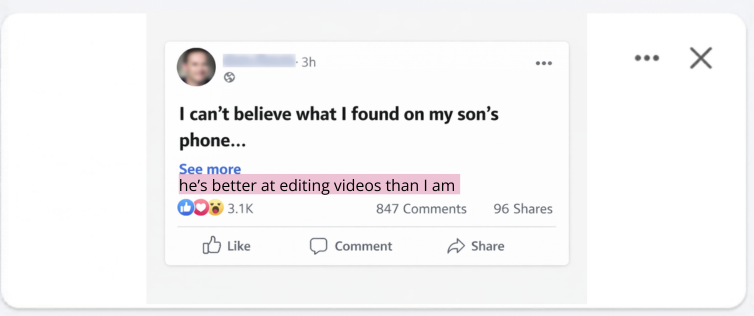
And the "See More" cutoff landed right in the middle of your opening. Your first sentence got chopped in half. The part that makes someone want to keep reading? It's hidden below the fold.
So you go back and edit it. Rearrange the first few lines. Save. Check your phone again. Still not right. Edit again. Save again. Check again.
Here's the part that stings: every time you edit a published post, the algorithm notices. Platforms treat edited posts differently. Your reach takes a hit. The post you spent all that time on gets shown to fewer people, not because the content was bad, but because you had to fix the formatting after it was already live.
The whole thing could've been avoided if you could just see where the cutoff lands before you publish.
That's exactly what this app does.
The insight
Your First 128 Characters Do All the Heavy Lifting
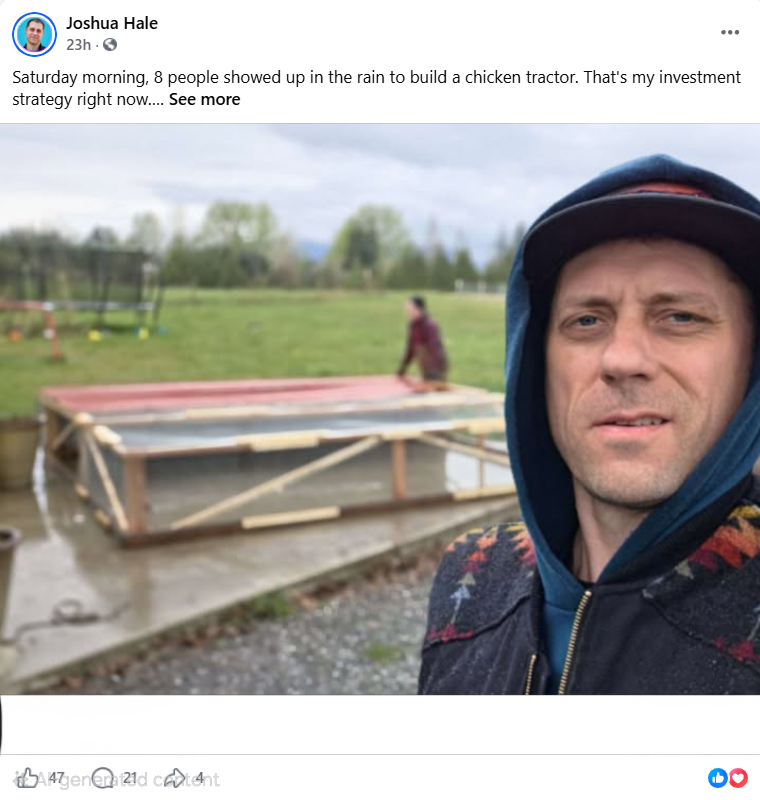
Every post on Facebook, Instagram, LinkedIn, and Twitter gets cut off with a "See More" link. Everything above that line is your opening. Everything below it is invisible until someone clicks.
That opening is your hook. (A hook is just the first few lines of your post, the part that makes someone stop scrolling and want to read the rest.) When those lines land above the "See More" cutoff, people read your post. When they don't, people scroll past it.
Your opening lines are the entire first impression. They decide whether someone stops scrolling and leans in.
When your best line lands above the fold, people click. They read. They engage.
Once you see this pattern, you can't unsee it. Every post you read, you'll notice where the fold lands and whether the opening made it above the line.
The Viral Post Optimizer lets you see exactly where that cutoff falls before you publish. So you can place your strongest lines where they'll actually be seen. (It's probably the simplest tool I've ever built, and it changed my results more than anything else.)
The backstory
How I Found the Pattern

Recently my Facebook posts hit 20 million views in a single month. Earned $1,300 directly from the platform.
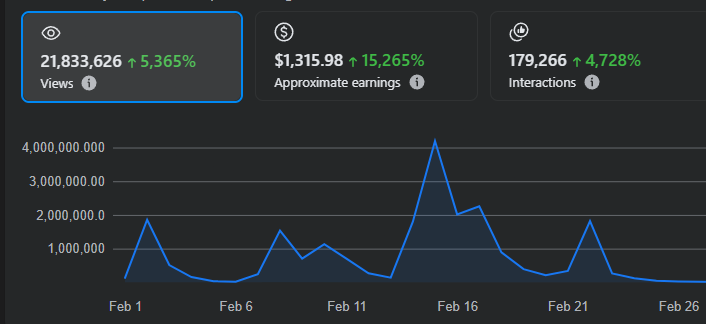
All organic. No ad spend. Just posts that people actually stopped scrolling to read.
Here's the part I find interesting. The content didn't change. My writing style didn't change. What changed was one thing: I started paying attention to what people actually see on their phone.
I pulled up two of my posts side by side on mobile. Same topic. Same quality. Same length. One had strong reach. The other didn't. I probably stared at those two posts for 20 minutes trying to figure out the difference.
Turns out, on the one that hit, the entire opening was visible above the "See More" cutoff. On the other one, it got chopped in half. My best line was tucked below the fold where nobody would see it unless they clicked.
That's when it clicked.
I started checking every post. Same pattern. The ones that performed had their punch above the fold. The ones that didn't had it below. The algorithm stuff, the timing strategies, the post-length debates (I spent hours on those). None of that mattered as much as where the fold landed.
So I built an app to see that cutoff before publishing. A simple preview showing exactly where platforms would chop my post on mobile, on desktop, across Facebook, Instagram, LinkedIn, and Twitter. I could see the line and bolt my opening right above it.
Once I had that visibility, everything tightened up. Write the opening. Preview it. Adjust until the strongest lines land above the fold. Then publish.
20 million views in one month.
That app is the Viral Post Optimizer.
The app
See Your Post Before Anyone Else Does
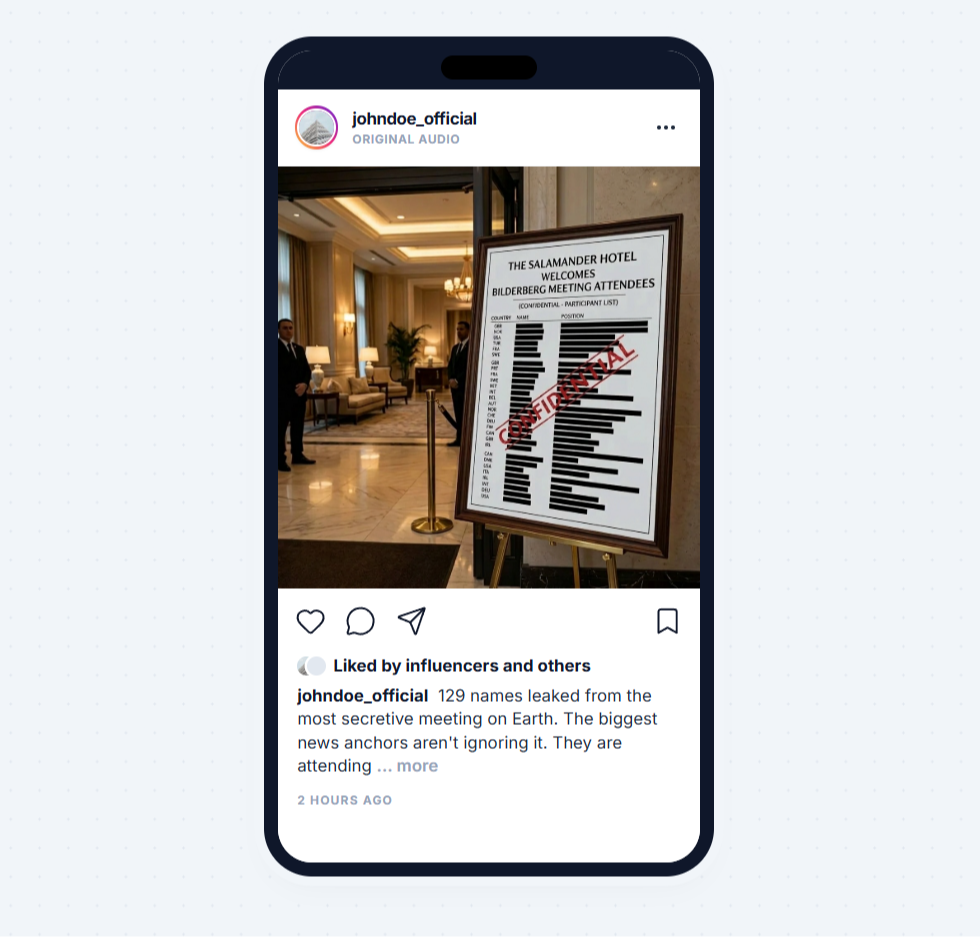
The Viral Post Optimizer is an app that lets you preview and format your social media posts before you publish. No download. No account setup. Open it in your browser, paste your post, and see exactly how it looks on Facebook, Instagram, LinkedIn, and Twitter. (Yes, it's that simple.)
Get the Viral Post OptimizerWhat's inside
Everything You Get
📱 Live Post Preview
See your post exactly as it will appear on Facebook, Instagram, LinkedIn, and Twitter. Toggle between mobile and desktop views. Know how it looks on every screen before you hit publish.
- Preview on Facebook, Instagram, LinkedIn, and Twitter
- Toggle between mobile and desktop views
- See exactly what your audience sees before they see it
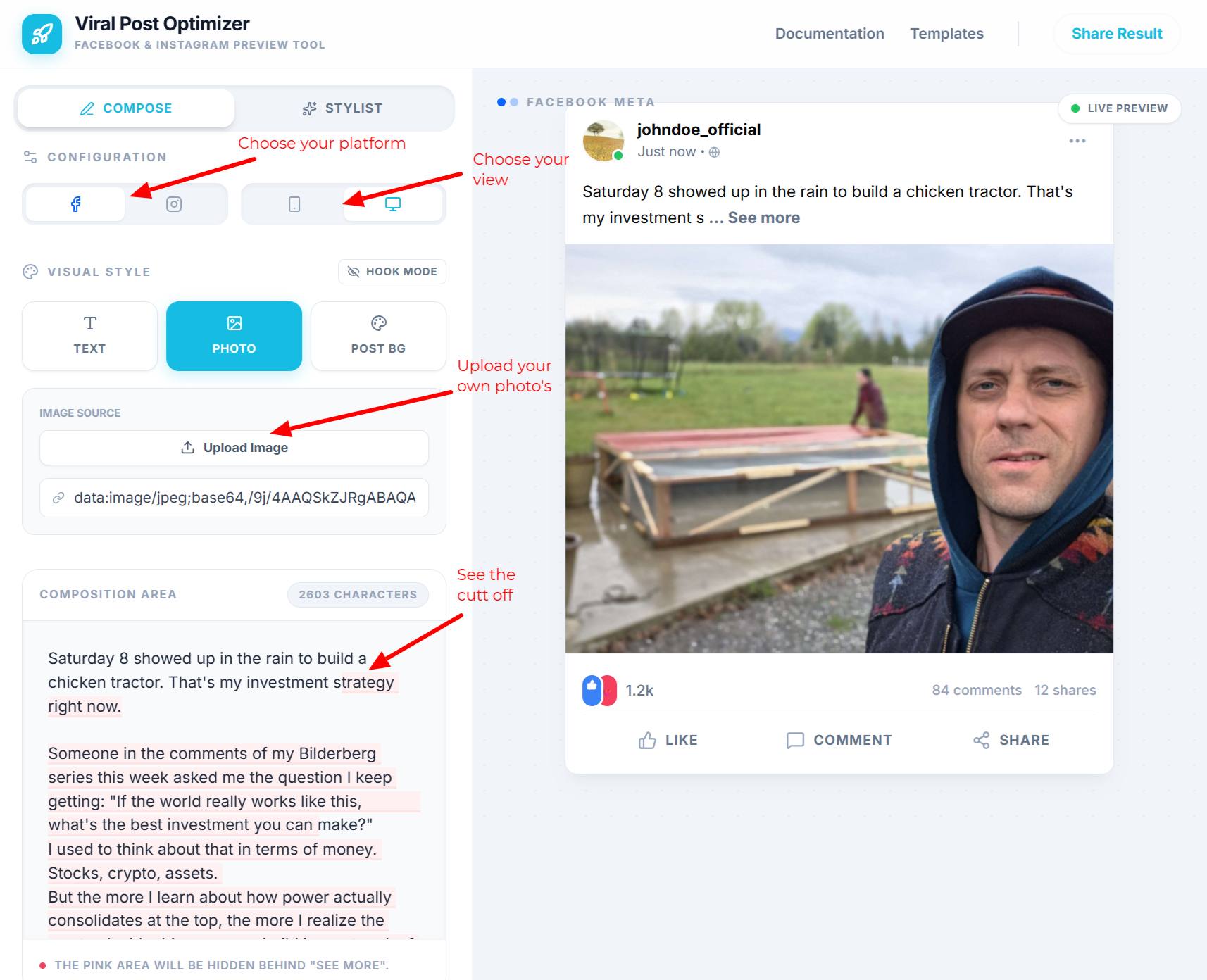
✂️ The "See More" Cutoff Line
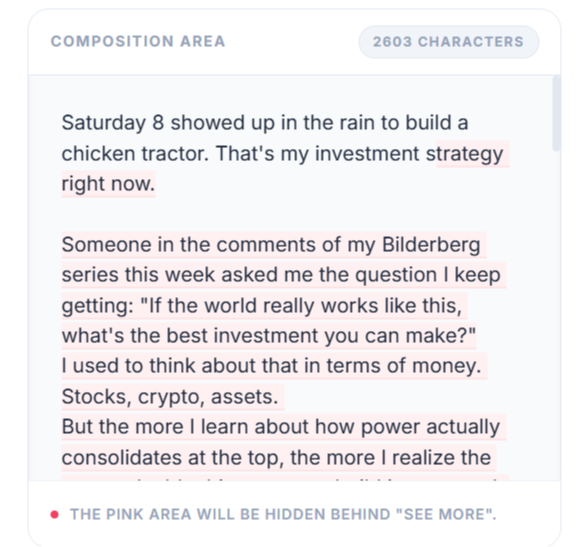
A visual indicator shows exactly where each platform places the "See More" fold. Everything above this line is your opening. You'll see a highlighted area in the composition view so you know precisely where to place your strongest lines. (This is the one feature people mention every time.)
- Visual cutoff indicator on every preview
- Highlighted area shows exactly where the fold lands
- Structure your opening to land above the fold every time
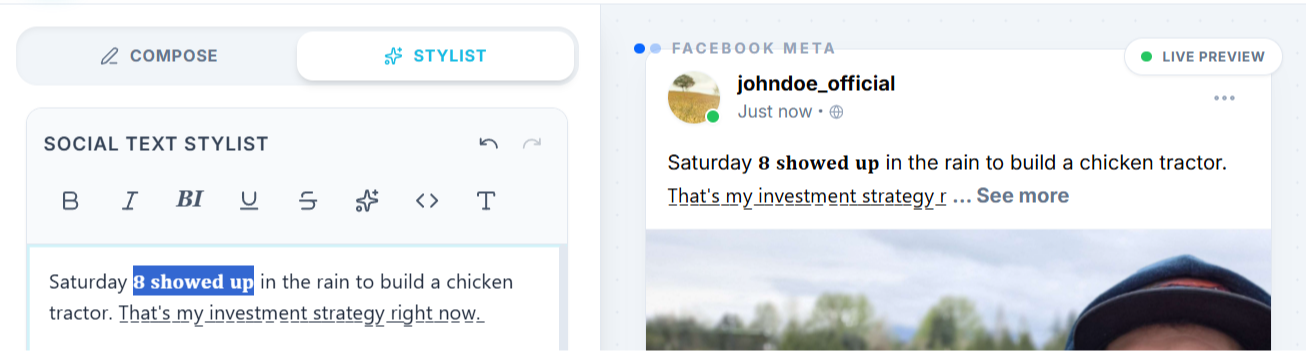
𝐁 Text Formatting That Actually Works
Apply bold, italics, and other formatting that carries over when you paste into social platforms. Your key phrases stand out in the feed. The formatting you add here is the formatting your audience sees.
- Bold and italic text that works across platforms
- Formatting survives the copy-paste
- Make your opening stand out in a wall of plain text
🎯 Hook Mode
A dedicated view that focuses only on your opening lines (the first few lines people see before "See More"). See what appears above the cutoff in isolation. Tighten your opening without the distraction of the rest of the post.
- Isolate your opening for focused editing
- See the first impression your audience gets
- Fine-tune your opening in seconds
🎨 Three Visual Styles
Text posts. Photo posts. Background color posts. Preview all three formats so you can see how each one looks before choosing your post style.
- Text: Clean text-only post preview
- Photo: See how your text wraps around an image
- Post BG: Preview with Facebook's colored background options
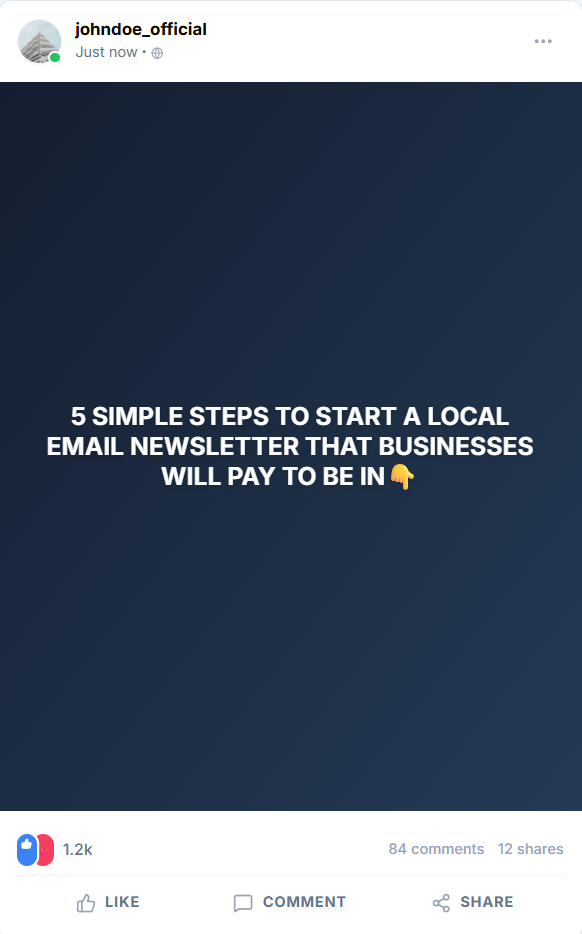
📖 The "See More" Strategy Guide
A short guide on why the first few lines of every post are doing all the heavy lifting and how to structure content around the cutoff. The exact approach behind millions of views, stripped down to what actually matters.
- How the "See More" fold shapes what your audience reads first
- How to structure an opening that stops the scroll in 3 lines
- The formatting moves that make your first 3 lines hit harder
Is this for you?
Who This Is For
This is for you if:
- You post on Facebook, Instagram, LinkedIn, or Twitter
- You've ever published a post and then realized it looked wrong on mobile
- You want your posts to look polished without hiring a designer
- You want your opening to land above the fold intentionally, not by luck
This is NOT for you if:
- You don't post on social media at all
- You're looking for an AI writing tool (this is a preview app)
- You only post photos with no text
The shift
What Changes When You Can See the Cutoff
- You publish every post knowing exactly how it looks on mobile
- Your opening lands above the fold because you placed it there on purpose
- Your formatting (bold, italics) carries over instead of getting stripped
- You preview across Facebook, Instagram, LinkedIn, and Twitter in seconds
- You stop editing posts after they're live (and stop the algorithm penalty that comes with it)
- You spend your time on the writing, not fighting with platform formatting
For context: most social media tools run $20-50 per month. A content strategist charges $200+ for a single session. This app is $19 once and you use it on every post from here on out. Pay once, keep it forever.
Instant access. Use it in your browser.
Includes the "See More" Strategy Guide.
Never publish a post that looks like this again:
The Make-It-Right Guarantee
If within 7 days of buying you feel you haven't received value, reach out to me directly. I'll provide a follow-up solution at no extra cost, tailored to what you actually need.
A personal commitment from me to you. Your feedback makes the app better for everyone, and I'll make sure you walk away with something that works.
Questions
Frequently Asked Questions
What exactly is the Viral Post Optimizer?
Do I need to download anything?
Which platforms does this work for?
I'm not a "content creator." Is this for me?
Can I use this on my phone?
Is this an AI tool?
Is this a subscription?
What's the guarantee?
Publish With Confidence.
Your first three lines are the most valuable real estate in your post. Now you can see exactly where they land, on every platform, before anyone else does.
Preview it. Nail the opening. Publish knowing it looks right.
Get the Viral Post Optimizer© 2026 JH Media & Consulting LLC. All rights reserved.